
Home/Secure Upload
For clients & new visitors
Secure Document Upload
Statements, tax returns, and applications contain information that should never travel by ordinary email. Send them here instead, through an encrypted channel.
Upload your documents
PDF, Word, JPG, PNG, or HEIC. Up to 10 files, 25 MB each.
Your privacy
How this is kept safe
- Files are transmitted over an encrypted connection.
- We never ask for passwords or full account numbers here.
- Documents go straight to Jason, not to a shared inbox.
- We store only what we are required to, for only as long as we must.
Please do not upload
Passwords, PINs, or anything you would not want written down. If a document contains a full Social Security number, that is fine — that is exactly what a secure channel is for — but never type one into a message field.
Not a client yet? You are still welcome to use this to send documents ahead of a first visit. Book one here.
How secure document upload works
Secure document upload is the safest way to send us statements, tax returns, and other financial paperwork. Documents sent by ordinary email can sit in several inboxes and servers; files sent through this page go straight to private storage on our website instead.
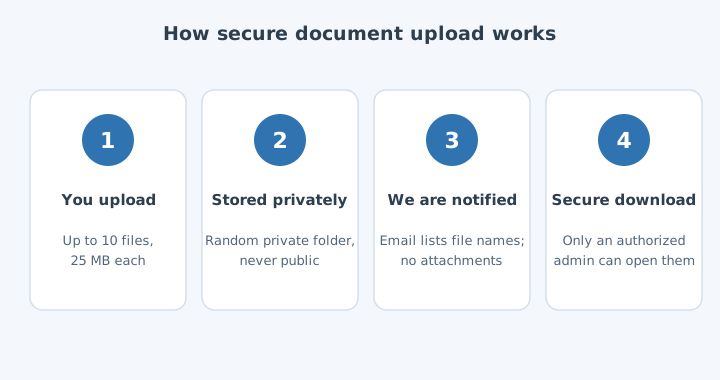
- Files are saved in a private folder with a random name and are never published or linked publicly.
- Our notification email lists the file names only; the documents themselves are never attached to email.
- Only an authorized administrator, signed in to our site, can download them.
What you can send
You can send up to 10 files at a time, each up to 25 MB, in these formats: PDF, Word (DOC, DOCX), images (JPG, PNG, HEIC), text (TXT), and spreadsheets (CSV, XLS, XLSX). Photos of paper documents work well if the page is flat, well lit, and fully in frame.
Documents we commonly ask for
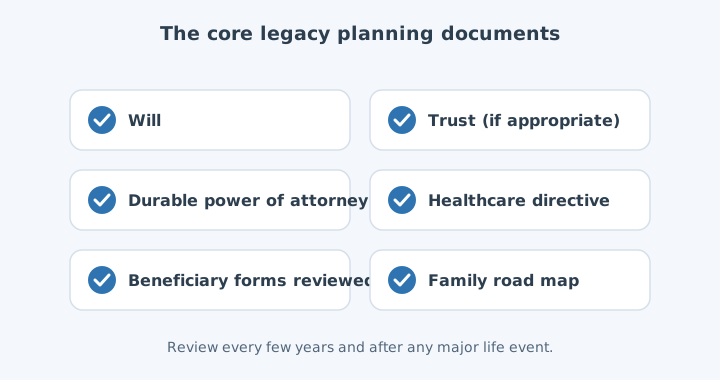
- Recent investment, retirement, and bank statements
- Your most recent tax return
- Your Social Security statement
- Pension, benefit, and insurance summaries
- Wills, trusts, and powers of attorney
Tips for clear document uploads
Upload the complete statement, including every page, rather than a single screenshot. Name files so they are easy to recognize, for example “IRA statement June”. If you are sending financial documents for several accounts, one secure document upload with all of them is easier to match up than several separate ones.
Secure document upload FAQ
Should I black out account numbers?
You do not have to for documents we need, but you may. If a statement is only for context, blacking out all but the last four digits of account numbers is perfectly fine.
How will I know you received my files?
You see a confirmation on this page as soon as the upload finishes, and we follow up by phone or email. The Federal Trade Commission’s guidance on protecting your identity is a good reference for keeping financial documents safe.
UPLOAD_ENDPOINT in assets/js/upload.js. Until then it confirms the selection and points clients to email so nothing is silently lost.